
22 new help desk tickets, plus install Revy as an app
Two things shipped for Revy's Tech Journey this weekend: the Help Desk Simulator grew to 78 branching tickets across A+, Net+, and Sec+, and you can now install Revy to your home screen like a real app. The Sim also got deeper underneath.

The Help Desk Simulator grew to 78 tickets
The Sim is where you work realistic help desk tickets: a customer message comes in, you get the tools, and you diagnose, decide, and close. This weekend it grew by 22 tickets, from 56 to 78, across all three tracks. Every one started from a real problem techs field, not a textbook example.
| Track | New this weekend | Total tickets | A few of the new ones |
|---|---|---|---|
| A+ | 12 | 32 | A blue screen that survives a clean reinstall, fake-installer malware, a USB stuck read-only, the print spooler, a dock with no external display, and UAC and least privilege. |
| Net+ | 5 | 23 | A duplicate IP address, DHCP scope exhaustion, a PoE power budget, a web filter false block, and 802.1X port authentication. |
| Sec+ | 5 | 23 | A lost MFA device, a broken SAML SSO certificate, an expired TLS certificate, a vendor asking for an any/any firewall rule, and patch triage. |
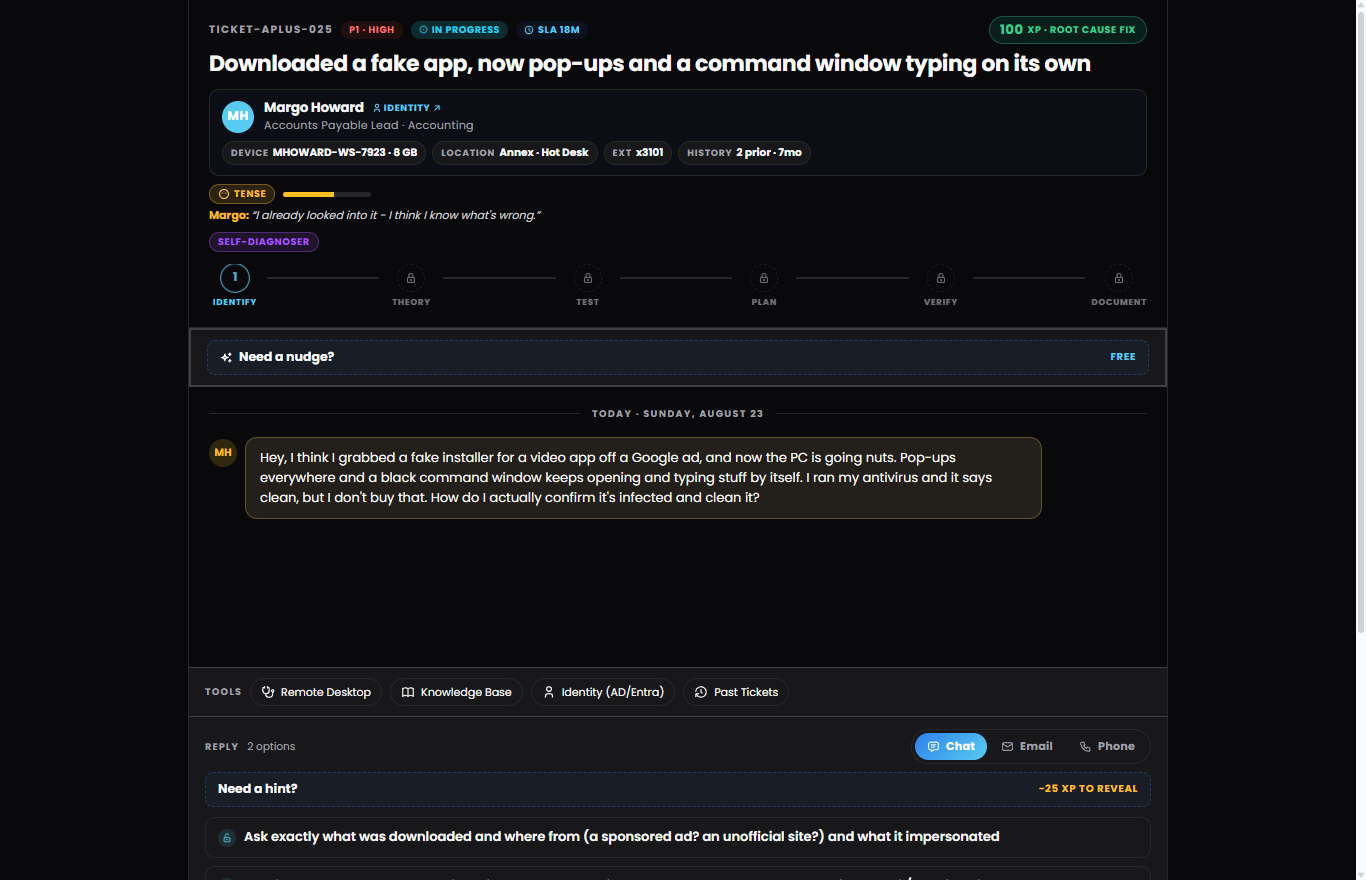
Here is what a ticket actually looks like. This one is a fake video-app installer that turned into pop-ups and a command window typing on its own. The customer is a self-diagnoser who is already sure she knows the cause, and her mood shows it. Your job is to confirm the infection for real, then clean it in the right order.
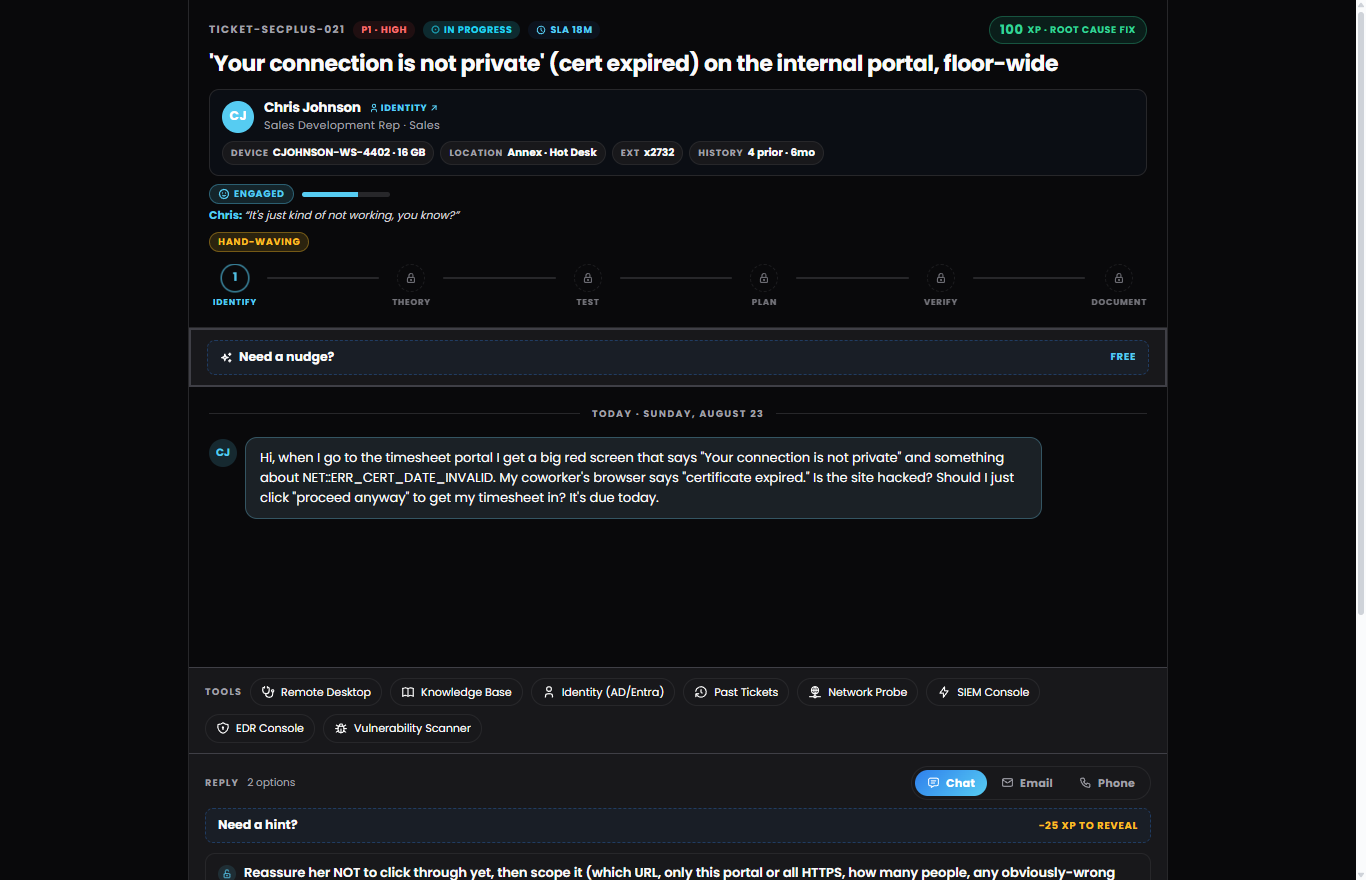
The Sec+ tickets carry a different toolset, because the work is different. Here an internal portal is throwing "your connection is not private" floor-wide, and the caller just wants to click "proceed anyway" to make a deadline. The lesson is scope before you act: reassure the user, size the blast radius, then fix the certificate. Notice the SIEM, EDR, and vulnerability-scanner consoles on the Sec+ tool rail.
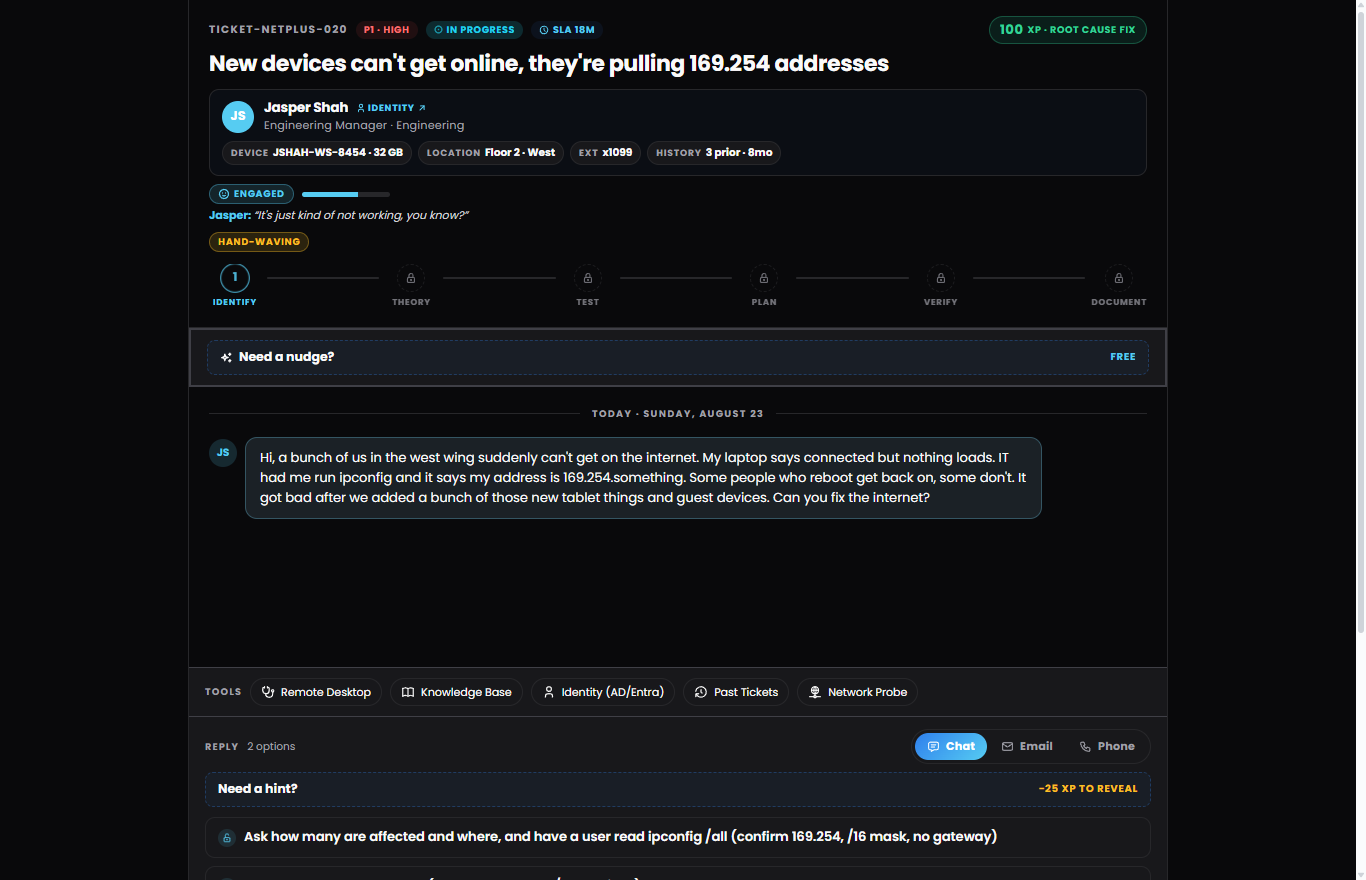
And the Net+ tickets put you on the network. New tablets and guest devices drain a DHCP scope until healthy machines start self-assigning 169.254 APIPA addresses. The tell is in ipconfig /all. You confirm the exhaustion, then decide between widening the scope and shortening the lease.
Free accounts get five Sim tickets a day, so you can work the new ones without paying. Pull one from your shift queue and see how it feels.
The Sim also got deeper this weekend
New tickets are only half of it. The Sim itself changed underneath them over the last few days, and you can see some of it in the screenshots above.
Customers who react to you. Look at the meter under each customer. Margo is tense and sure she already knows the cause. Jasper is engaged and vague. That mood shifts as you help them, and a self-diagnoser feels different from a hand-waver. It is a coaching cue, never part of your score.
The channel is part of the job. Every ticket lets you answer by chat, email, or phone. The right channel for the person eases them, the wrong one grates and they will ask for the one they want. On a call it feels like a call, with who you are on with and the tone in their voice.
Do the real fix. Across all three tracks, many tickets now put you in the actual tool. You type the command, end the process, isolate the host, or read the packet capture, and the ticket resolves only once you have really done the work.
Triage that counts. When tickets stack up, your shift recap now reads whether you picked the highest-impact one first. A real help desk habit, coached, with no timer and no penalty.
Install Revy as an app
Revy is now installable. Add it to your phone or desktop home screen and it opens full-screen with its own icon, no browser bar and no app store. The easiest way is Settings, then "Install app," which appears whenever your browser offers it. You can also use your browser's own install: on an iPhone in Safari, tap Share then Add to Home Screen; on Android or desktop Chrome or Edge, use the browser menu or the install icon in the address bar.
It is the same Revy underneath, so your account and progress carry over. The point is friction: a home-screen icon you tap is a lot easier to open every day than a URL you have to remember. The help center has the step-by-step if your browser hides the option.
Why these two
One is about better reps, one is about showing up. More Sim tickets means more chances to practice the actual judgment a help desk shift demands, on scenarios you will recognize the first week on the job. Installing the app lowers the friction of studying every day, which is the thing that actually gets people to the exam.
The full list of what changed is on the changelog, and what is coming next is on the roadmap. Both are honest. We ship when work is ready, not on a date.
Try it
If you already study on RTJ, log in, open the Sim, and pull a couple of the new tickets. Then add Revy to your home screen from Settings so it is one tap away tomorrow.
If you are new here, the free tier is a real product, not a trial: full Study Mode, one Adventure lesson per track, five Sim tickets a day, and a free practice exam per track. No credit card. Start on the Q-bank if you are on a phone, or jump straight into the Sim on a laptop or tablet.
Nick
Revtek IT Solutions and Revy's Tech Journey
About the authors
IT Service Center Manager and former CTE / IT teacher. Owner of Revtek IT Solutions. Writes everything that ships under his name and reviews every line of Revy-assisted drafting before publish.
LinkedIn ↗Revy helps draft and structure these posts. Every piece is reviewed, edited, and fact-checked by Nick before publish. We disclose this here because it is the right thing to do. See the AI Policy for the full stance.
Who writes this, and who checks it
Nick writes and edits these posts. AI helps with research, outlines, and first drafts. Nick reviews the draft before it goes live, and he is the only reviewer, so this is one person checking his own work. That catches a lot and it misses some.
When a post turns out to be wrong, the fix and the date it happened go on the corrections log, in public, including the ones nobody outside noticed. We do not use confidential, recalled, or leaked exam content. These posts are written from CompTIA's published objectives and authoritative technical sources. The AI policy has the longer version.
LinkedIn ↗